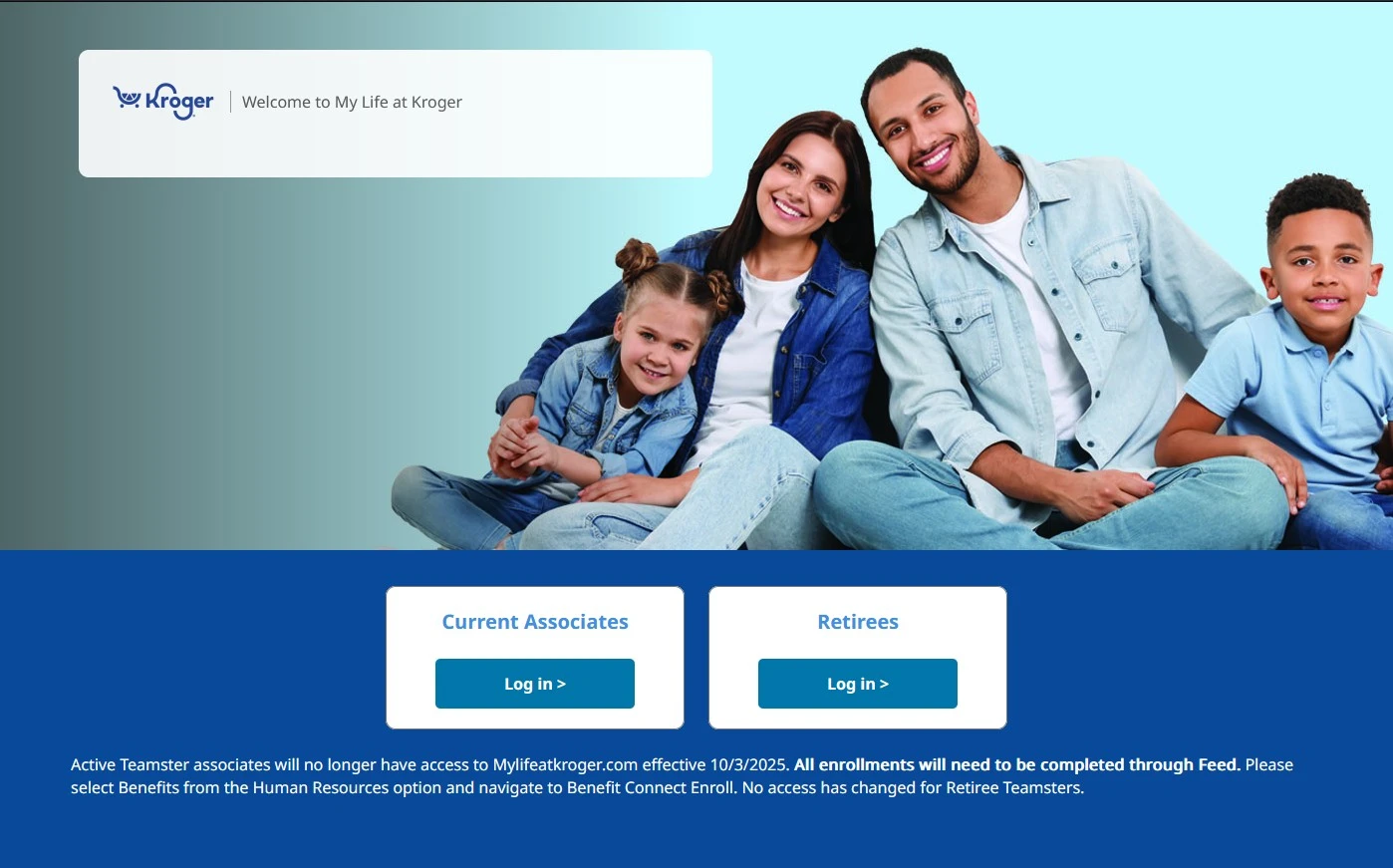
MyLife@Kroger Login- How Current Associates & Retirees Access?
MyLifeAtKroger is the employee portal that Kroger built for its associates, retirees, and spouses or domestic partners.
It gives people a single place to check benefits, view pay stubs, and manage personal work records. For many years, this site was the main door into Kroger employee life, and that is exactly where the name comes from.
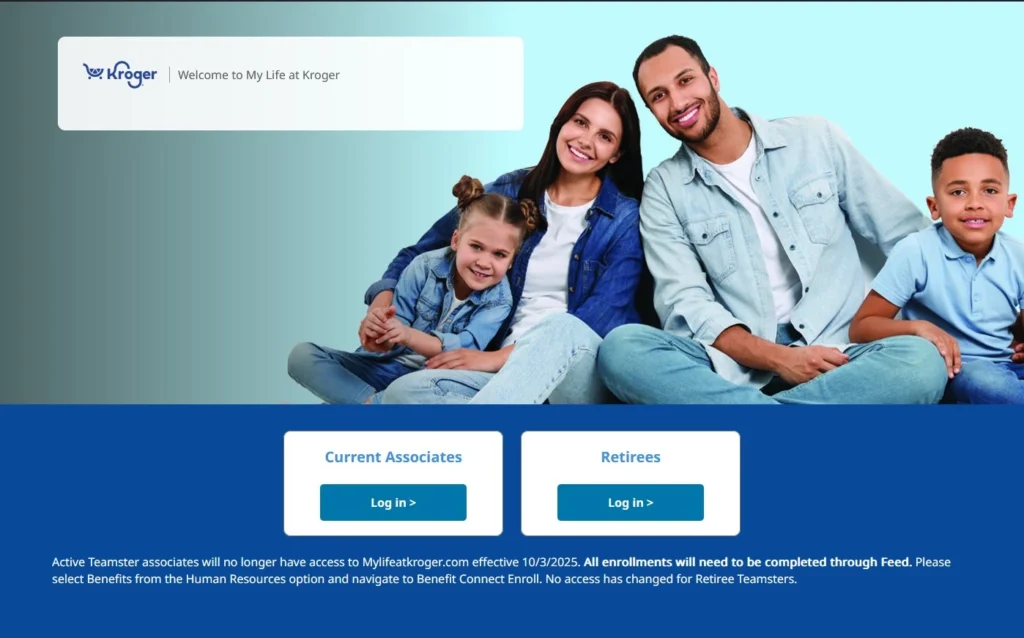
Today, the picture is a little more layered, and we will explain that honestly in the next section.
If you are a current associate, some of what you remember about this portal has changed. If you are a retiree or a spouse, most of it still works the way it always did.
Is MyLifeAtKroger Still Active in 2026?
This is the question most people ask first, so we will answer it directly.
As of October 2025, Kroger moved active associates away from mylifeatkroger.com and into feed.kroger.com, which is Kroger FEED, its new unified employee platform.
Benefits enrollment, HR tools, and company updates now live inside FEED for current workers.
Retirees, spouses, and domestic partners are a different story.
Many of these users still log in through the old MyLifeAtKroger system to manage retirement benefits, health coverage, and account details.
So the honest answer is that MyLifeAtKroger is not fully gone, but it is no longer the front door for people who work at Kroger right now.
We think this matters because a lot of guides online still describe MyLifeAtKroger as if nothing changed.
If you are an active associate and you keep hitting login errors on the old site, that is very likely why. Kroger FEED is where you need to be instead.
Here is a simple way to think about who belongs where.
- Current associates can use Kroger FEED at feed.kroger.com for benefits, HR, and daily updates
- Retirees continue using MyLifeAtKroger for retirement benefits and coverage details
- Spouses and domestic partners continue using MyLifeAtKroger to manage shared benefit information
How to Log In to MyLifeAtKroger?
Logging in looks slightly different depending on who you are. Kroger built two separate paths on purpose, since a working associate and a retiree need different kinds of access.
Current Associate Login
Active associates who still have reason to use the older portal, or who are checking historical records, sign in with their Enterprise User ID, often called EUID, along with their password. This is the same credential system used across many Kroger tools.
- Go to the official login page
- Choose the option marked Current Associate
- Enter your EUID and password
- Click the sign in button to reach your account
If you are actively employed and trying to manage day to day benefits, remember that feed.kroger.com is now the correct home for that task.
Retiree or Spouse and Domestic Partner Login
Retirees and spouses use a separate login path with a username and password that was created during registration.
- Go to the official login page
- Choose the option marked Retiree or Spouse and Domestic Partner
- Enter your username and password
- Click login to view your account
SecureWeb and Single Sign On
Behind the scenes, Kroger uses a system called SecureWeb along with single sign on technology.
This means one set of credentials can work across several Kroger employee tools, so you do not need a different password for every single system.
It also adds a layer of protection, since your login is verified through a central and encrypted process rather than being scattered across many separate logins.
How to Register for a MyLifeAtKroger Account?
If you have never logged in before, you will need to register first. This step links your identity to a working account, so Kroger can safely connect your benefits and payment information to the right person.
- Visit the official registration page.
- Enter your last name and date of birth.
- Provide the last four digits of your social security number.
- Add your email address.
- Set up a security question and answer for future recovery.
- Complete the process to activate your EUID or username.
Registration exists mainly to protect you. Since this account touches sensitive financial and medical information, Kroger wants to be certain the person signing up is really the employee, retiree, or spouse they claim to be.
MyLifeAtKroger Forgot Password or EUID: How to Reset?
Almost everyone forgets a password at some point, so this part of the system gets a lot of daily traffic. The recovery flow is built to be quick if you follow it in order.
- Go to the login page and look for the forgot password or forgot EUID link.
- Choose which one applies to your situation.
- Confirm your identity using your last name, date of birth, and part of your social security number.
- Follow the prompt to receive a temporary password by email, or answer your security question to reset it directly.
If none of these steps work, or if the page keeps returning an error, contact Kroger support or ask your store manager for help.
Common causes of login trouble include using the wrong portal for your associate status, typing an outdated EUID, or trying to log in during scheduled maintenance.
Common MyLifeAtKroger Login Errors and How to Fix Them
Login trouble is one of the most common reasons people search for this portal, so it deserves its own space here rather than a quick mention.
- Wrong portal for your status– active associates trying old associate flows should check whether their task now belongs on Kroger FEED instead
- Outdated browser- an old browser version can block secure pages from loading correctly, so switching to a current version of Chrome, Firefox, Edge, or Safari often solves the issue
- Cached data– a browser holding onto old cached files can cause blank pages or stuck loading screens, and clearing that cache usually clears the problem too
- Incorrect EUID or username– typing errors are common, especially when EUID numbers are long, so double checking each character before submitting helps avoid repeated failed attempts
- Scheduled maintenance– like most large systems, the portal sometimes goes offline briefly for updates, and trying again after a short wait often resolves this on its own
If none of these steps help, reaching out to the Kroger employee help desk or a store manager remains the most reliable path forward, since they can check account status directly on their end.
What You Can Do on MyLifeAtKroger?
Once you are logged in, the portal opens up several practical tools. This is really the heart of why the platform exists in the first place.
Health, Dental, Vision, and Retirement Benefits
Through Benefit Connect Enroll, users can review and update coverage for health, dental, and vision plans.
This tool becomes especially important during open enrollment, when workers and retirees make changes that carry through the rest of the year.
Outside that window, most people log in only to double check what they already selected.
Retirement tools cover 401k contributions along with HSA and FSA account details, so people can plan both their current health needs and their long term savings in one place.
A worker can see how much is going into their retirement plan, adjust contribution amounts within allowed limits, and confirm that health savings accounts are funded the way they expect.
These benefit pages tend to use plain language rather than heavy insurance terms, which makes the whole process easier for someone who is not an HR expert.
That matters a lot, since most associates only think about benefits a few times a year, not every single day.
Pay Stubs and Tax Forms
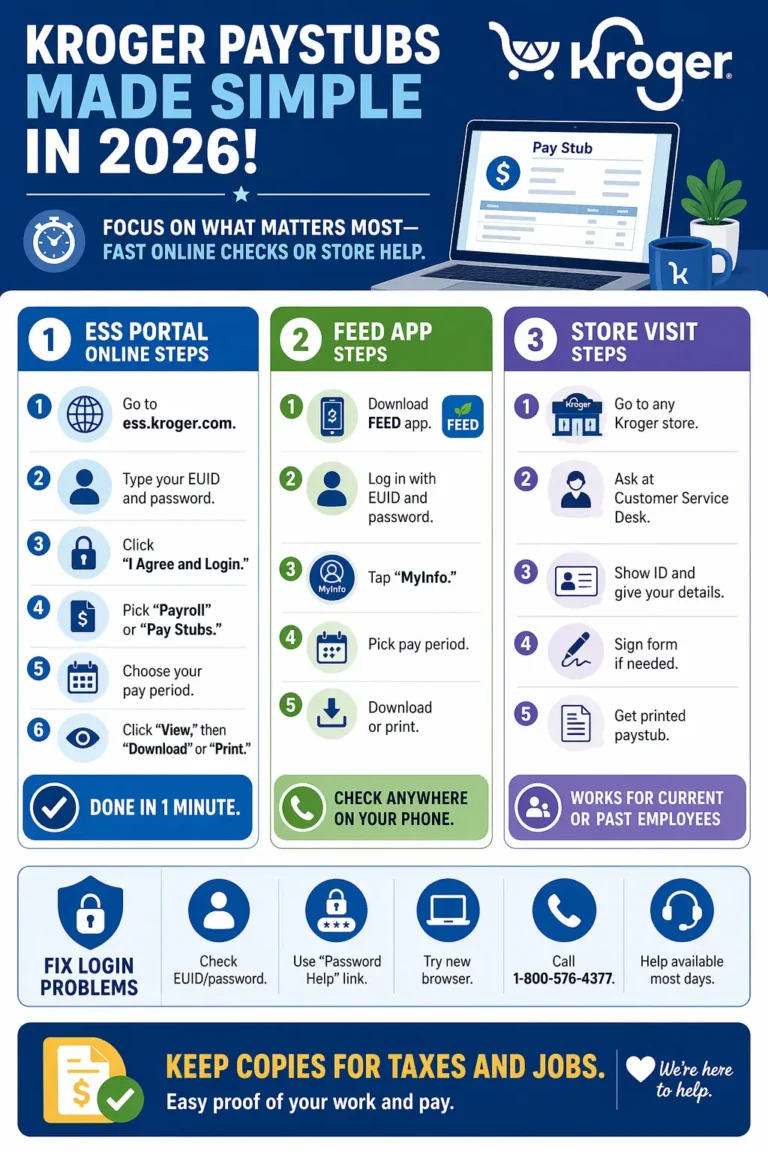
Employees and former employees can view pay stubs and download tax documents like the W2 form. This is often handled through the ESS Kroger paystub system, which many people simply call the Kroger paystub login. Keeping these records available online saves a trip to the store just to ask for a printed copy.
If someone prefers a paper copy, they can still visit a nearby Kroger store and ask the customer service desk for a printed pay stub.
Staff there will usually ask for a photo ID and a short release form before handing over any payment records, since these documents contain private financial details.
Tax season is when this feature gets used the most. Instead of waiting on mail delivery for a W2 form, associates and former associates can log in, pull the document directly, and file their taxes on their own schedule.
Employee Discounts and Rewards
The portal also lists employee discounts, reward points, and other perks tied to working at Kroger.
These benefits are one of the more popular reasons people log in outside of open enrollment season.
Discounts often stretch beyond Kroger branded products and into partner brands, which gives associates a reason to check back even on weeks when nothing else needs attention.
Reward points and recognition bonuses show up here too, tied to milestones like years of service or manager recognition.
Seeing these numbers in one place gives associates a clear picture of what their work has earned them so far.
Company News and Job Announcements
Beyond the personal account tools, MyLifeAtKroger has traditionally shared company news, recognition stories, and internal job postings.
This part of the experience has largely shifted into Kroger FEED for active associates, where announcements now live alongside the newer app features.
How MyLifeAtKroger Connects to Other Kroger Employee Systems?
Kroger runs several employee tools, and it helps to understand how they fit together instead of treating them as one confusing mess.
- MyTime handles schedules, shift swaps, and time off requests, and it runs on UKG, which used to be called Kronos
- MyInfo manages personal details like your mailing address and direct deposit banking information
- ExpressHR and Great People.me were earlier systems that Kroger has since retired or folded into newer platforms
- Kroger FEED is the current unified app for active associates, connecting news, benefits, and links to all the other tools through one single login
Think of MyLifeAtKroger as one piece of a larger system rather than the only tool you will ever need. Depending on your role, you may end up moving between two or three of these platforms in a normal week.
Is MyLifeAtKroger Secure?
Security matters a great deal here, since the portal holds financial records, tax documents, and personal health information.
Kroger protects this data using encrypted connections, so information traveling between your device and their servers cannot be easily read by outsiders.
Account records also sit behind a firewall, which blocks unauthorized access from outside sources.
Every account requires its own unique EUID or username along with a password that only you should know.
Kroger states that it follows federal and state privacy laws, and that personal details like your name and email are kept private and never sold to outside companies.
Simple habits still matter on your end too. Never share your login details with coworkers, log out fully when using a shared computer, and update your password if you ever suspect it has been exposed.
MyLifeAtKroger vs Kroger FEED
Since so many people land here confused about which system to use, a side by side view helps clear things up fast.
- Purpose: MyLifeAtKroger focused mainly on benefits, pay, and HR records, while Kroger FEED wraps those same tools inside a broader employee experience that also includes news and department pages
- Primary users: MyLifeAtKroger now serves retirees, spouses, and domestic partners, while Kroger FEED serves current active associates
- Login method: both rely on the same underlying EUID or username and password structure through Kroger single sign on
- Mobile access: Kroger FEED offers a dedicated mobile app, while MyLifeAtKroger is accessed through a mobile browser rather than its own app
- Future direction: Kroger FEED is the platform receiving ongoing updates, while MyLifeAtKroger continues mainly to support its remaining retiree and spouse audience
Understanding this split saves a lot of wasted time. Instead of guessing which site to try, associates and retirees can go straight to the one built for their situation.
MyLifeAtKroger for Retirees and Spouses or Domestic Partners
Leaving Kroger, or being connected to someone who worked there, does not automatically cut off access to benefits information. Retirees can continue logging in to review health coverage, confirm eligibility, and check retirement account details long after their last day on the job.
Spouses and domestic partners often manage shared benefit information as well, especially around health insurance decisions during open enrollment. If access is ever lost, retirees can reach out to retiree HR support for help restoring their account rather than starting completely from scratch.
MyLifeAtKroger FAQs
Who can access MyLifeAtKroger?
Current associates historically used it, though most now rely on Kroger FEED. Retirees, spouses, and domestic partners continue to use MyLifeAtKroger directly.
Is MyLifeAtKroger still active?
Yes, but with a narrower purpose. Active associates were moved to feed.kroger.com in October 2025, while retirees and spouses kept their access on the older system.
What replaced MyLifeAtKroger for active associates?
Kroger FEED, found at feed.kroger.com, now serves as the main portal for benefits, HR tools, and company news for current workers.
Can retirees still log in to manage benefits?
Yes. Retirees can view coverage, confirm eligibility, and manage retirement benefit details through their existing login.
Is MyLifeAtKroger mobile friendly?
Yes, the portal can be reached through a phone or tablet browser, in addition to a desktop computer.
What do I need to register for the first time?
You will need your last name, date of birth, part of your social security number, an email address, and a security question and answer.
What if I forget my EUID or password?
Use the forgot password or forgot EUID link on the login page, confirm your identity, and follow the recovery steps to regain access.
Can I view my pay stub online?
Yes, current and former associates can view pay stubs through the ESS Kroger paystub system connected to their employee account.
How do I get help if the site will not load?
Try a different browser like Chrome, Firefox, Edge, or Safari, clear your cache, and check your internet connection. If it still fails, contact Kroger support or your store manager.
Is my personal information safe on this portal?
Kroger uses encryption and firewall protection to guard your data, and states it follows privacy laws to keep personal details confidential.
What is the difference between MyTime and MyLifeAtKroger?
MyTime manages schedules and time off, while MyLifeAtKroger, and now FEED for active associates, manages benefits, pay records, and HR information.
Do spouses need a separate login from the employee?
Yes, spouses and domestic partners register their own username and password rather than sharing the employee login.
Getting the Most Out of Your Kroger Employee Account
MyLifeAtKroger built the foundation for how Kroger associates and retirees managed benefits and pay records for years. That foundation has shifted for people currently working at Kroger, with Kroger FEED now carrying most of that daily responsibility. Retirees, spouses, and domestic partners can still rely on the original portal much like before.
Knowing exactly which system fits your situation saves time and cuts down on login frustration. If you are an active associate, bookmark feed.kroger.com going forward. If you are a retiree or connected through a spouse, your existing MyLifeAtKroger login should continue working as expected.
For anything that still feels stuck, the Kroger employee help desk and your local store manager remain the fastest way to get a real answer.
For more information visit https://mytime-kroger.net/