FEED Kroger login, mobile app and schedule guide
FEED Kroger is an employee communication and resource service published by The Kroger Co. The current FEED Mobile listing says associates can access FEED from anywhere, see schedules, read company news, find deals, and open links to applications used for work. Hourly associates can use the Schedule tab in FEED Mobile.
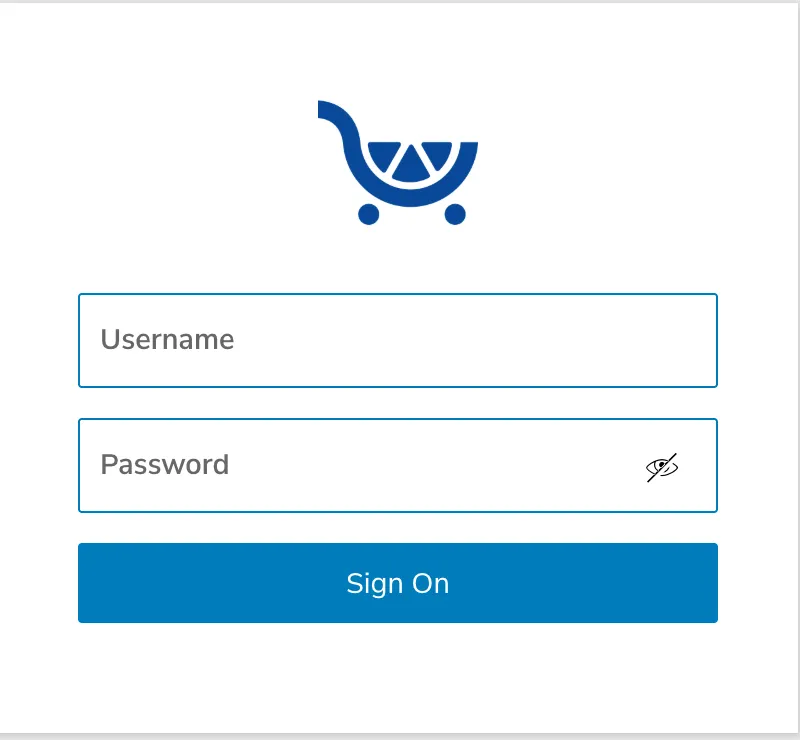
The browser address feed.kroger.com is live. When checked on September 10, 2026, it redirected to a PingOne sign-on flow. MyTime-Kroger.net is an independent guide and does not collect Kroger EUIDs or passwords.
FEED Kroger login at a glance
| Task | Where to start | What current public evidence supports |
|---|---|---|
| Open FEED in a browser | feed.kroger.com |
The address is live and redirects into a sign-on flow |
| Use FEED on a phone | FEED Mobile | The Kroger Co. publishes the app on Google Play and Apple’s App Store |
| Check an hourly schedule | Schedule tab in FEED Mobile | Kroger’s app listing explicitly names the Schedule tab for hourly associates |
| Open paycheck stubs | ExpressHR link from FEED | Kroger’s FEED listing directs associates to ExpressHR for paycheck stubs |
| Use MyTime workforce tools | MyTime route supplied to the employee | MyTime is separate from FEED and centers on schedule/time tasks |
How to sign in to FEED Kroger
Use the Kroger employee sign-in route shown after you open FEED. Do not enter employee credentials into an independent website or a copied login page.
- Open
https://feed.kroger.com/or the FEED link supplied by Kroger. - Check the address before entering an employee ID or password.
- Use the employee credentials Kroger assigned to you.
- Complete any identity check shown for your account.
- Open the schedule, news, deal, or application link you need.
- Sign out when using a shared device.
Kroger’s SecureWEB pages use an Enterprise User ID and password for employee access. I could not verify one public Kroger rule that says every FEED user has the same password-expiration period or the same EUID pattern.
What FEED Mobile officially does
The current Google Play listing from The Kroger Co. says FEED Mobile puts desktop FEED resources on a phone and lets associates access FEED from anywhere. The listing names schedules, company news, daily news and notes, deals, and links to work applications.
- Access your schedule.
- Read associate and company news.
- Find daily news and notes.
- See deals.
- Open links to applications used for work.
The public listing does not prove that every HR, payroll, tax, benefits, or timekeeping function runs directly inside FEED. Some tasks open another employee system.
Does FEED show the Kroger employee schedule?
Yes. Kroger’s Google Play listing says hourly associates can use a Schedule tab in FEED Mobile. That makes FEED one of the clearest Kroger-published mobile routes for schedule checking.
For schedule changes, blank weeks, or a conflict between two schedule views, use the Kroger employee schedule guide.
Does FEED show paycheck stubs?
FEED can provide the route, but Kroger’s own app listing points paycheck-stub users to ExpressHR. It names the profile menu, an ExpressHR Quick Link, and the navigation bar as ways to reach paycheck stubs.
For pay-period, missing-hours, deductions, and historical paystub questions, use the Kroger paystub guide.
FEED Kroger vs MyTime Kroger
FEED and MyTime should not be treated as the same employee system. FEED is Kroger’s associate communication and resource app. MyTime is the workforce route employees use for schedule and time-related tasks.
| Task | FEED | MyTime |
|---|---|---|
| Company news and associate information | Yes, publicly documented | Not the main purpose of this guide |
| Hourly schedule access | Yes, Schedule tab publicly documented | Used for workforce schedule tasks |
| Paycheck stub route | Links to ExpressHR | Do not use as the verified paystub destination |
| Timecard and time requests | May link to work applications | Use the MyTime workforce route supplied to your account |
For the primary MyTime browser and UKG access routes, use the MyTime Kroger guide.
FEED Kroger vs MyInfo and ExpressHR
MyInfo and ExpressHR are separate employee-resource names. Kroger’s 2025 Responsible Business Report calls MyInfo its HR technology platform. Kroger’s FEED app listing explicitly names ExpressHR for paycheck-stub access.
This distinction matters. A search result that calls FEED, MyInfo, ExpressHR, and MyTime one dashboard can send an employee to the wrong task.
For current MyInfo access and HR-platform facts, use the MyInfo Kroger guide.
How to use FEED Mobile on Android or iPhone
Install FEED Mobile only from the official app store listing published by The Kroger Co. Do not download an APK from an independent file site.
- Open Google Play or Apple’s App Store.
- Search for FEED Mobile.
- Check that the developer is The Kroger Co.
- Install the app.
- Open it and use the employee sign-in flow shown to you.
- Use the Schedule tab if you are an hourly associate and schedule access is available to your account.
Check the developer name before installing the app. The official FEED Mobile listing identifies The Kroger Co. as the developer; download counts and ratings can change over time.
FEED Kroger login not working
| Problem | Check first | Safe next step |
|---|---|---|
| Browser redirects but sign-in fails | Old session or wrong employee credentials | Start a fresh session and use Kroger’s employee password-help route if needed |
| App opens but schedule is missing | Schedule tab and selected week | Check the current week, then confirm the next shift with the scheduling manager if needed |
| App will not load | App version and internet connection | Update the official app, reopen it, and retry |
| Repeated sign-in screen | Cookies or stale authentication session | Close old sessions and retry from the official FEED route |
| EUID or password rejected | Credential entered | Use Kroger-authorized account recovery; do not keep guessing |
| Paystub link is missing | FEED navigation and ExpressHR route | Use the current payroll resource supplied to your employee group |
Do not use Kroger’s customer Help Center number as if it were a verified FEED payroll or employee-account help desk. Account-specific employee support should come from the workplace or the authorized recovery route shown to the employee.
For broader access errors, use the Kroger employee portal troubleshooting guide.
Forgot your FEED Kroger password or EUID?
Use Kroger’s own password or user-ID help. Kroger’s SecureWEB page identifies the employee login fields as Enterprise User ID and Password and provides help links for both.
I could not verify a current public Kroger rule that says every employee must change a password every 90 days. I also could not verify a universal EUID format. Do not copy a sample ID from a blog and assume it matches your account.
For identifier recovery, see the Kroger EUID guide.
Can new employees create a FEED account themselves?
I could not find a public self-registration page that lets anyone create a Kroger employee FEED account. Use the employee access Kroger creates or supplies during onboarding.
If a new-hire account does not work, confirm your employee access with the manager or onboarding contact. Do not register through a third-party site that asks for Kroger credentials.
Can you use FEED from home?
Yes, Kroger’s current Google Play listing says associates can access FEED from anywhere. That statement supports remote FEED access. It does not mean every linked application inside FEED has identical off-site access rules.
Questions people search about FEED Kroger
What is the official FEED Kroger website?
https://feed.kroger.com/ is live and currently redirects into a PingOne sign-on flow.
Is FEED the Kroger schedule app?
FEED Mobile is an official Kroger associate app and its listing includes a Schedule tab for hourly associates.
Is FEED the same as MyTime?
No. Treat FEED as the associate resource and communication app, while MyTime covers workforce schedule and time tasks.
Can I get my paystub from FEED?
FEED provides a route to ExpressHR for paycheck stubs according to Kroger’s app listing.
Does FEED have W-2 forms?
I could not verify a current Kroger public source that says W-2 forms are stored directly inside FEED. Use the current HR or tax-document route supplied to your account.
Why does FEED keep signing me out?
Start a fresh session and check whether the issue is limited to FEED or affects other Kroger employee sign-ins. If the account itself is rejected, use Kroger-authorized recovery.
Sources checked September 10, 2026
- FEED Mobile on Google Play for developer identity, remote access, schedule, news, deals, work-application links, and the hourly Schedule tab.
- FEED Mobile on Apple’s App Store for the official iOS listing from The Kroger Co.
- feed.kroger.com for the live browser entry point, checked September 10, 2026.
- Kroger SecureWEB for Enterprise User ID and password terminology.
- The Kroger Co. 2025 Responsible Business Report for MyInfo and Sage context.
If a Kroger screen shown to your account differs from this independent guide, use the Kroger instruction shown to you.