UKG Dimension For Kroger Employees
Many Kroger associates use a workforce system to check schedules, clock in, and view pay information. Employees commonly refer to this system as UKG Dimensions, MyTime, or UKG Pro Workforce Management, depending on their store and when it was last updated.
This guide explains what this platform does, how associates typically log in, and what to check when something does not work.
Specific screens and steps can vary by store, so always confirm details with your manager or HR team.
What Is UKG Dimensions?
UKG Dimensions was the original product name from UKG, a company formed when Ultimate Software and Kronos merged. Many employees still use this name out of habit.
UKG has officially renamed this product to UKG Pro Workforce Management, according to UKG’s own site. Current systems may show this new name even if employees still call it UKG Dimensions.
The platform generally handles scheduling, time tracking, and labor data for large employers. It builds shift schedules, records clock in and clock out times, and feeds that data into payroll.
How Kroger Employees Use This System?
Kroger operates many store banners, including Ralphs, Fred Meyer, King Soopers, Smiths, and Fry’s. Associates across these banners generally use a shared employee portal system for daily tasks.
A note on accuracy: no official Kroger or UKG page directly confirms that Kroger uses UKG Dimensions by name. This connection appears only on unofficial fan and guide sites, so treat the exact product name as commonly reported rather than officially confirmed.
Employees also mention names like MyTime, MyInfo, and the FEED app. These may be different entry points into related systems, or separate tools entirely. Your store HR contact is the most reliable source for your specific setup.
How to Log In UKG Dimension?
Most associates log in using an Enterprise User ID, known as EUID, or a linked email address. This pairs with a password on the official login screen for your store.
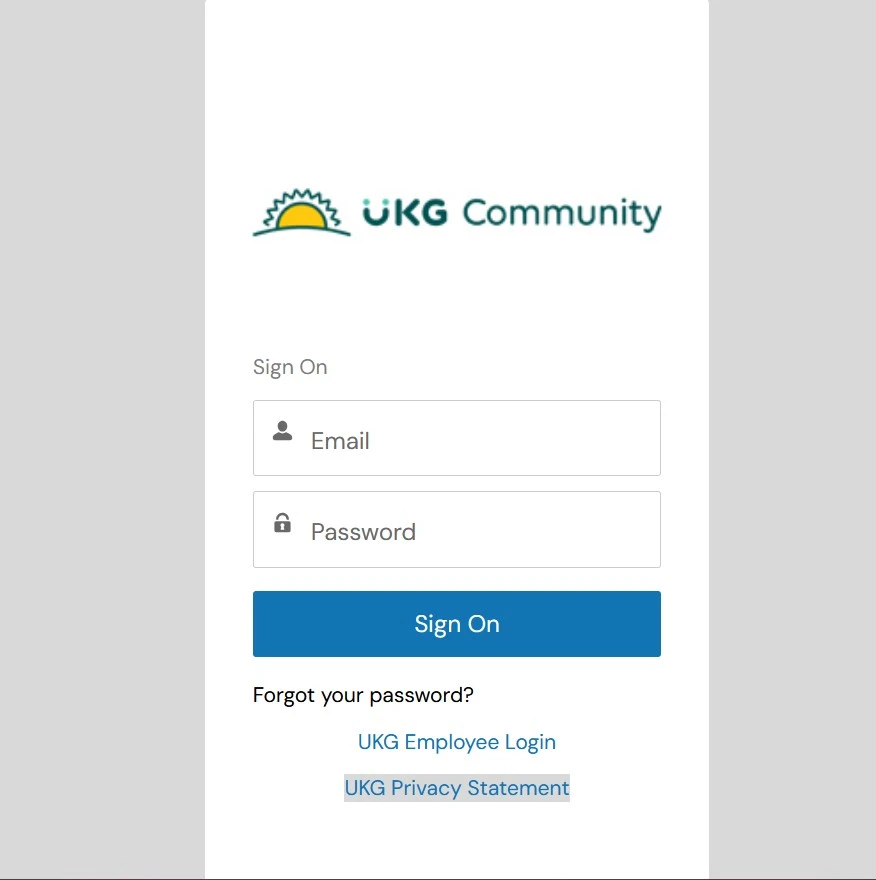
- Go to your store’s official employee login page.
- Enter your EUID or registered email address as an above screen shot.
- Enter your password.
- Select sign in to continue.
Mobile login generally follows a similar pattern. UKG’s own documentation confirms a dedicated mobile app exists for this platform, separate from general company communication apps.
- Open your store’s designated mobile app.
- Enter any required company or tenant identifier.
- Enter your EUID or email and password.
- Tap sign in.
What You Can Typically Do Once Logged In?
Once inside, most employee systems like this offer a similar set of daily tools. These generally include the following.
- View your upcoming weekly schedule
- Clock in and clock out for shifts
- Request a shift swap with a coworker
- Submit a time off request
- Check your paid time off balance
- Review current and past time cards
- Access pay stubs and W-2 forms
This is why the system matters for daily work life. Instead of calling a manager for basic schedule questions, associates can check this information directly.
Mobile App Access
UKG confirms its platform works across desktop, tablet, and mobile devices, and can be accessed through a dedicated app. This app generally supports clocking in, checking schedules, and receiving notifications.
Some employees describe using a separate app called FEED for similar tasks. Whether this is the same tool rebranded for Kroger or a fully separate system is not something I can confirm from an official source.
If you are unsure which app your store currently uses, ask your manager or HR contact rather than relying on outside guides, since app names and setups change after updates.
Troubleshooting Common Login Issues
Login problems generally fall into a few common categories, each with a different fix.
- Forgot password: Use the forgot password link on your login screen and follow the identity verification steps
- Locked account: This often happens after repeated failed attempts, so contact HR or IT support to unlock it
- App will not load: Try updating the app or switching between wifi and mobile data
- Schedule not showing: This can be a syncing delay, so log out and back in before assuming a bigger problem
- Incorrect hours on your time card: Report this to your manager quickly, since payroll cutoffs are time sensitive
If these steps do not resolve the issue, your store’s HR team or IT help desk has account level access that individual employees do not have.
Security Best Practices
A few simple habits help protect your account and personal data over time.
- Log in from a personal or trusted device instead of a shared computer when possible
- Keep your app and browser updated to their latest versions
- Avoid saving your password on a public or shared device
- Change your password if you notice anything unusual on your account
Many companies enforce a periodic password change requirement. I could not confirm Kroger’s exact cycle from an official source, so check your own account settings for the accurate number.
Frequently Asked Questions
Is UKG Dimensions the same as MyTime Kroger?
They may be closely related, but this is not confirmed by an official source. Ask your HR contact for your store’s exact terminology.
Can I access this system from home?
In most cases yes, as long as you have working login credentials and an internet connection, though some store networks may add restrictions.
How do I reset my password?
Use the forgot password link on your login page first. If that does not work, contact your store’s HR or IT support team.
What do I do if my schedule is not showing up?
Try logging out and back in first. If the problem continues, report it to your manager rather than assuming your account is broken.
Who do I contact for login issues?
Your store manager or HR team is usually the first stop. The company IT help desk is the backup for account level problems.
Is UKG Dimensions still the correct name for this platform?
Not officially. UKG’s own site confirms the product is now called UKG Pro Workforce Management, so newer systems may show this updated name.
Final Thoughts
This workforce system plays a central role in how Kroger associates manage their schedules, time cards, and pay information day to day. Names like UKG Dimensions, MyTime, and FEED come up often, but the exact relationship between them is not something I can fully confirm from official sources.
For anything specific to your store, your manager or HR contact will always give you a more accurate answer than any outside guide, including this one.